I’ve been there: I’m comparing editorial rates from freelance editors, I find a neat per-word (or per-page) or per-hour rate chart, and it feels like relief. Finally, a clean number. Finally, a way to “shop smart.”
Then I look closer, and the relief fades. Because my project isn’t a neat number.
Rate charts aren’t wrong; they’re incomplete. That incompleteness is exactly why editing rate charts fail as buyer decision tools. They flatten messy, real writing into a single line item, even though editing effort changes wildly from draft to draft.
In this post, I’ll show you what charts leave out, why that causes bad comparisons, and what I do instead to choose an editor with less risk. I’ll also explain how an editing cost calculator can help you estimate real scope before you ask for quotes, especially when planning book editing costs.
Key Takeaways
- Editing rate charts are incomplete because they don’t reflect draft condition, scope, timeline pressure, or project risk.
- The same word count can require very different editing time, so per-word and per-hour rates don’t predict total cost.
- Editing labels vary by editor, so “copyediting” and “line editing” can mean different work and different outcomes.
- A safer way to compare editors is to use a sample edit plus a scope checklist, then compare deliverables and depth, not just price.
- An editing cost calculator helps set a realistic budget range, but a human quote based on a sample sets the real scope.
Estimated reading time: 16 minutes
What Editing Rate Charts Leave Out & Why That Changes the Price
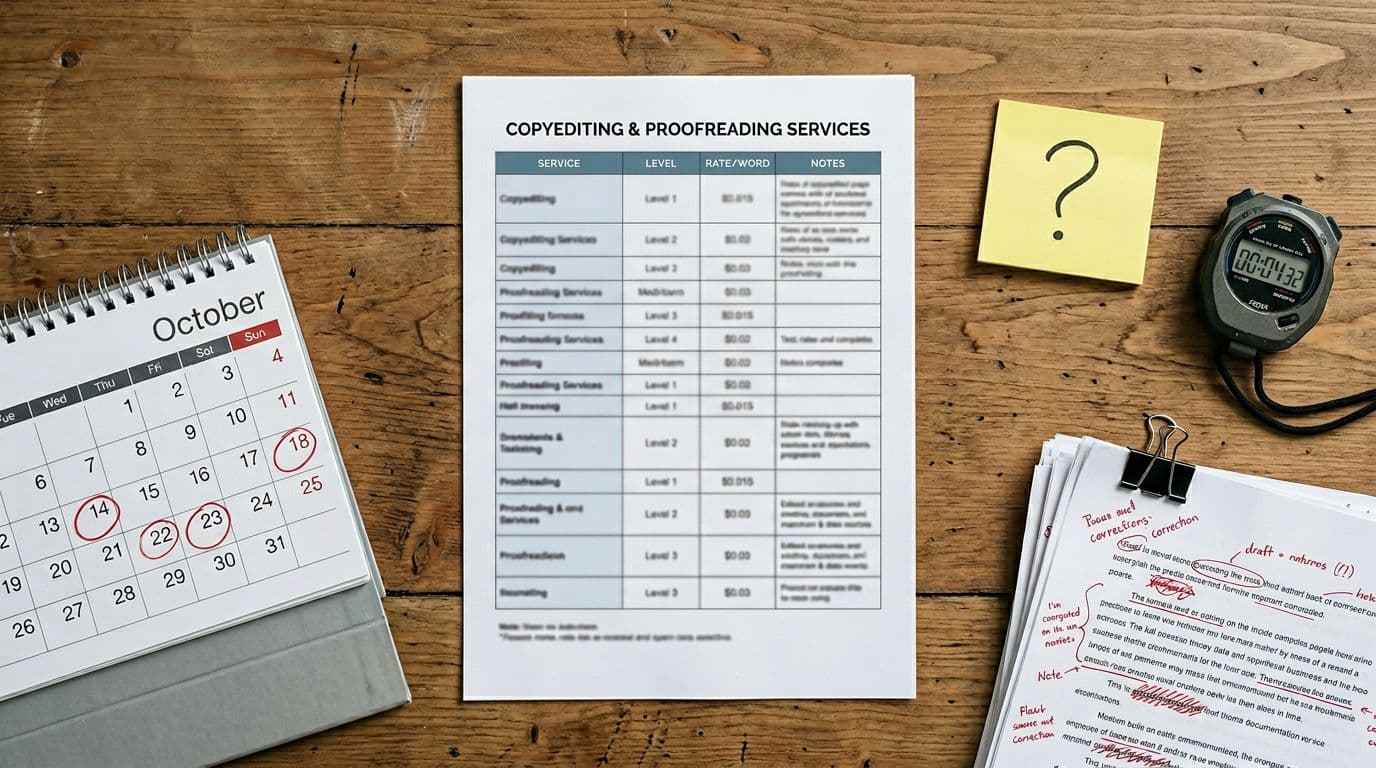
Most charts assume editing is a uniform service, like buying printer paper. One unit costs X, so 10 units cost 10X. That logic works for paper. It doesn’t work for editing.
Editing is labor, judgment, and attention. Two documents with the same word count can ask for different kinds of thinking. That changes time, and time changes price. A manuscript page offers one standard unit of measurement, often around 250 words, but even that ignores condition.
Rate charts also skip the “hidden work” that clients still benefit from.
Common tasks rate charts don’t show
- building a style sheet so names, terms, and formatting stay consistent
- checking cross-references (tables, headings, figure mentions)
- tracking tone and audience fit across the whole piece
- writing queries that don’t confuse or overwhelm you
- indexing key terms for quick reference
When a chart says “$0.02 per word,” it doesn’t say what’s included, what’s excluded, or how the editor defines success for copyediting or similar services. As a buyer, that matters more than the number.
The draft quality gap, same word count, totally different workload

Word count tells me length but not condition. Draft condition is the biggest reason one “simple edit” becomes a long project, whether for fiction or nonfiction.
Here are common draft realities that quietly add hours:
AI-assisted text that reads smooth in small chunks but turns repetitive over pages. Structure that wanders, so the logic breaks at section transitions. Terminology that shifts (client, customer, member) without meaning to. Weak signposts, so readers can’t follow the argument. Citations that don’t match the reference list. Voice that changes every few paragraphs.
A quick example makes this concrete. Even after self-editing, I can receive two 5,000-word samples on the same topic, both “ready for copyediting” in the writer’s mind:
- Sample A (clean): consistent terms, clear headings, solid flow, only light sentence fixes. I might edit it in 2 to 3 focused hours, around 10 pages per hour.
- Sample B (messy): unclear claims, repeated points, shaky transitions, and lots of sentence-level repair. That can take 6 to 9 hours, dropping to 3 to 5 pages per hour, sometimes more if I’m also writing queries.
Same word count. Different workload. A chart can’t warn you which bucket you’re in, so it tempts you to compare prices as if the work is equal.
If a quote feels “too high” based on a rate chart, it may be reacting to risk and draft condition, not overcharging.
The kind of edit matters more than the rate column
A second problem is language. Charts rely on labels, but editing labels aren’t regulated. One editor’s “copyedit” is another editor’s “line edit.” Some editors combine levels, others split them.
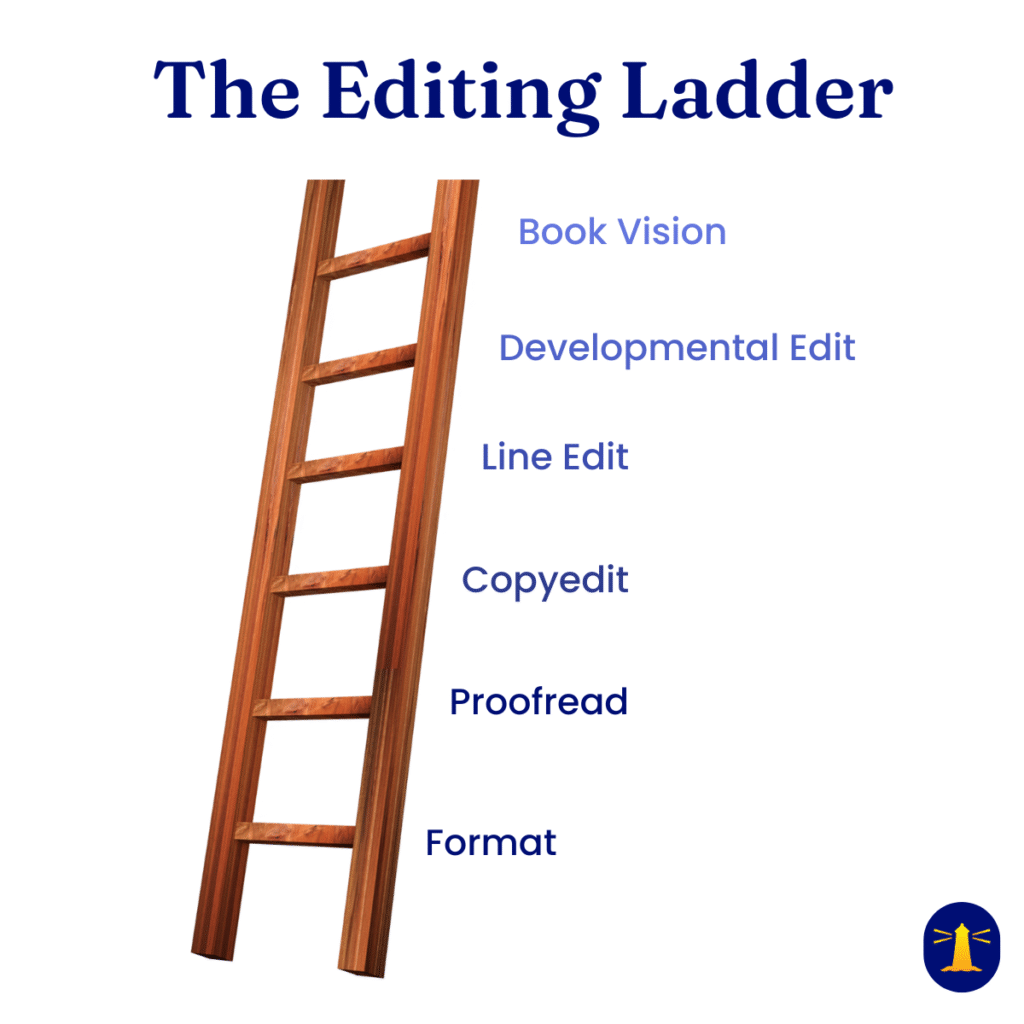
While I go into more depth in this post, here’s the simplest way I explain the common levels when I’m buying (or scoping) editing help, from proofreading to developmental editing:
| Edit type | Main goal | Typical focus | Best for |
|---|---|---|---|
| Proofreading | Catch surface errors | typos, punctuation, formatting | final pass before publishing |
| Copyediting | Make it correct and consistent | grammar, clarity, consistency, style sheet | drafts that are solid but need polish |
| Line editing | Make it read better | flow, voice, sentence rhythm, tone | drafts that feel stiff or uneven |
| Developmental editing | Make it work as a whole | structure, argument, story, order, gaps | drafts with big-picture issues |
A rate chart often assumes one level, usually copyediting, and presents it like a default. Meanwhile, you may need a different level entirely, like line editing for smoother prose or developmental editing for big-picture fixes. If you buy proofreading when you need copyediting, you’ll still have core problems afterward. If you pay for developmental editing when you only need cleanup, you’ll waste money.
So I don’t ask, “What’s your rate for copyediting?” I ask for a scope description. I want to know what the editor will do, in plain terms, and what “done” looks like.
Why Editing Rate Charts Fail in Real Buying Decisions
In one breath: rate charts price words, not outcomes.
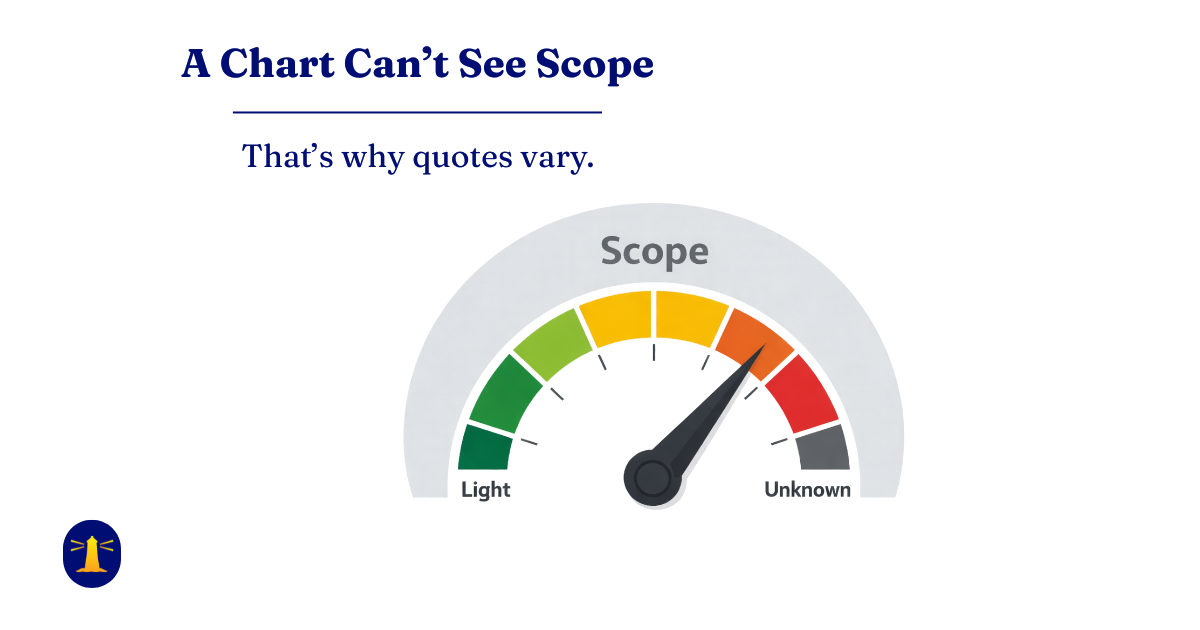
They can’t see scope, draft condition, or risk.
That’s why two “reasonable” quotes can look wildly different.
Charts promise fair comparisons. If you want the longer breakdown of what actually drives editing costs and how to think about ranges, I walk through it here. Even standard benchmarks like the EFA rate chart from the Editorial Freelancers Association, based on survey data, create apples-to-oranges shopping in practice.
Two editors can list the same per word rate while offering completely different outcomes. Another editor can look “expensive” on the chart because they include steps others leave out. As a buyer, I can’t see any of that from a single grid.
This is the heart of why editing rate charts fail: they compare price tags, not service definitions, and they don’t show the tradeoffs hidden inside each quote.
Most charts compare prices, not outcomes
When I’m hiring an editor, I’m not buying “$X per word.” I’m buying fewer reader stumbles, stronger credibility, and less risk of an embarrassing error.
What charts show
Rate charts show typical pricing units, like per-word, per-page, or hourly rates, often broken out by the named level of editing. They give you a rough range for what editors charge in general, not what your specific project will cost.
When rate charts are useful
Rate charts can help in three situations:
- Early budgeting: They give you a rough range before you have quotes.
- Sanity checks: They can flag extremes that deserve a second look.
- Expectation setting: They remind you that editing is skilled labor, not a fixed commodity.
Then I switch from chart logic to scope logic: sample, deliverables, passes, and timeline.
What charts can’t see
Rate charts, showing median rates for editorial rates, rarely spell out outcomes, such as:
- How many passes will the editor do?
- Will they create and deliver a style sheet?
- How heavy will the comments and queries be?
- Do they check internal consistency (names, terms, numbering)?
- Do they do a final sweep after revisions?
- Do they correct obvious factual mismatches (like a date conflict), or only grammar?
- Will they preserve my voice, or rewrite aggressively?
What you should ask instead
A low rate can be real and fair. It can also mean fewer passes, minimal queries, and little consistency work. That may be fine for a clean draft. It’s risky for a rough one. Editors often charge per word or per hour, but their effective hourly rate depends on speed and depth.
To protect myself, I keep a short “outcome” checklist. I’ll ask a few of these before I compare quotes:
- Deliverables: What will I receive besides the marked-up document?
- Passes: Is this one pass, or multiple focused passes?
- Depth: Will you flag logic breaks, or only fix sentences?
- Consistency: Do you maintain a style sheet?
- Queries: How do you handle unclear meaning?
- Limits: What won’t you do as part of this edit?
- Finish: Is there a final polish step?
Those answers tell me what I’m really buying. The chart doesn’t.
Charts ignore schedule pressure, communication time, and project risk
Even when two editors define the work the same way, the timeline can change everything.
Rush work costs more because it forces tradeoffs. The editor may need to work evenings, move other clients, or compress their process. On the other hand, a flexible deadline can lower cost because the editor can plan the work efficiently.
Communication time is another quiet factor. A project with lots of back-and-forth, unclear sources, or shifting goals takes longer. That extra time doesn’t show up in a per word chart, but it’s still time the editor must account for, especially in per hour billing.
Then there’s risk pricing, which sounds scary but is normal. When scope is uncertain, an editor protects themselves in one of two ways:
- Higher rates to cover unknowns
- Tighter limits (for example, “one pass only” or “no reference checking”)
- Or a flat fee with strict boundaries
Charts hide those safety moves. As a result, buyers get surprised by change orders, added fees, or a finished edit that feels lighter than expected.
I’ve learned to treat a rate chart like a weather forecast. It gives a general sense, but it doesn’t tell me whether I’ll get sun or hail on my street.
They can’t tell you what your specific project will cost.
A Safer Way to Choose an Editor Than Chasing the Lowest Rate
Rate charts tempt me to hunt for the lowest number, then hope the outcome works out. I prefer a method that reduces surprises, especially when comparing editorial rates among freelance editors.
My goal is simple: match the editor’s process to my draft condition, my timeline, and my audience. Price still matters, but it comes after scope.
Here’s the approach I use when I want an apples-to-apples comparison. It works well for business content, thought leadership, reports, first books, fiction, nonfiction, and even academic editing or editorial services for indie authors.
Use a sample edit and a scope checklist to get an apples-to-apples quote
A sample edit is the fastest way to turn guesswork into evidence. It shows how the editor thinks, how they handle voice, and how heavy their changes are.
When I request one, I keep it clean and specific:
- I send 1,000 to 2,000 words from the manuscript that represent the messiest normal parts (not my best paragraph).
- I include context in one short note: audience, purpose, and what I’m worried about.
- I ask for a quick read on what level of edit they think I need, such as developmental editing, line editing, copyediting, or proofreading.
Here’s a Sample Edit Request template:
Hi [Editor name],
I’m requesting a sample edit to help me compare quotes and confirm scope.
Sample length: 1,000 to 2,000 words (representative, not my best paragraph)
Audience and purpose: [one sentence]
Deadline: [date] and flexibility: [firm or flexible]
What I’m worried about: [one sentence]
Please include:
- what level of edit you recommend (in plain actions, not just a label)
- what deliverables are included (edited file, comments, style sheet, notes)
- how many passes are included
- what is not included
Thank you,
[Name]
Then I evaluate the sample like a buyer, not like a student. I look for clarity gains, not just corrected commas. I also check whether the editor’s comments make sense, and whether I feel respected in the tone. If you’re new to this, that’s a normal thing to care about, and it’s part of the buying decision.
At the same time, I use a scope checklist so the quote means what I think it means. I want the editor to confirm:
- the level of edit (described in actions, not just a label, like copyediting for style and grammar or proofreading for final polish)
- the deliverables (edited file, comments, style sheet, summary notes)
- the number of passes
- the timeline and what counts as a rush
- the revision support (do they review my changes, and how much?)
- what’s not included (fact checking, references, rewriting, layout)
If I can’t describe what success looks like for the edit, I’m not ready to compare quotes. If you’re not there yet, this is the fastest way to get clear before you spend money.
This doesn’t need to feel formal. It just needs to be clear. If setup friction is the thing that keeps stopping you, I wrote a separate post for that. The same process applies whether you’re working on fiction or nonfiction.
Estimate the real range with an editing cost calculator, then confirm with a human

Before I contact editors, I like to get my own budget reality check. That’s where an editing cost calculator, including a rate estimator with rEHR calculations, helps.
rEHR & hidden costs
rEHR is “real effective hourly rate,” as opposed to “effective hourly rate.”
In plain English: rEHR is an attempt to estimate an editor’s real hourly earnings after accounting for hidden time (admin, emails, project setup, client comms, scheduling, revisions, bookkeeping, etc.). So even if someone charges “$60/hr,” their effective hourly rate on that job might be much lower once all the non-billable work is included.
I don’t treat the results from an editing cost calculator as a quote. I treat the results as a planning tool.
A calculator helps me model the range between scenarios, like:
- a clean draft that needs light copyediting
- a draft that needs heavier cleanup and more queries
- a rush timeline versus a normal timeline
A good cost calculator factors in variables like per word rates, per hour charges, pages per hour capacity, or even a manuscript page count to estimate costs accurately.
At Future Perfect Services, we give estimates for projects, not for word counts, because a word count can’t capture scope. At times, this has resulted in savings and lower overall cost for the client.
That matters because it changes how I shop. If the calculator shows my budget only covers proofreading, but my draft needs line-level help, I can adjust. Maybe I revise first, or I narrow the scope, or I move the deadline. Options like a flat fee can also emerge from these insights.
After I have that estimate, I still confirm everything with a human quote based on a sample. The calculator sets expectations. The editor sets the real scope.
When I reach out, I come prepared with a short set of details so the editor can price accurately, based on project type and other factors. These five are enough to start:
- document type or genre
- audience and purpose
- deadline (and how flexible it is)
- word count (or page count with format details)
- current draft condition (clean, average, rough, AI-assisted, or mixed)
That small prep step saves time on both sides, and it reduces the chance of sticker shock later. If you’re looking for ongoing editorial support without re-scoping every time, Premium Access is built for that kind of work.
Frequently Asked Questions About Editing Rate Charts and Editing Costs
Because they reduce a complex service to one number. Editing effort changes with draft condition, goals, timeline, and what’s included in the deliverables. Charts can’t see scope, so they can’t predict your actual cost.
Scope and outcomes. Before you compare prices, confirm what the editor will deliver (for example: style sheet, level of markup, number of passes, and what’s excluded). (Look at all the explanation in this example.) Once the work is defined, the rate becomes meaningful.
Because editors may be pricing different deliverables, different levels of intervention, different timelines, or different levels of risk. The label on the quote is not enough. Ask what the editor is doing, how many passes are included, and what “done” means.
Send the same representative sample to each editor (1,000–2,000 words) and include a short note on audience, purpose, and deadline. Then compare quotes only after you’ve matched: level of edit, deliverables, number of passes, timeline, and exclusions. If those don’t match, you’re not comparing the same service.
Proofreading checks a final draft for surface errors. Copyediting improves correctness and consistency. Line editing improves clarity and flow at the sentence level. Developmental editing focuses on structure, logic, and big-picture effectiveness. Labels vary, so always ask what the editor will actually do. There’s more detail in this post.
Yes, as a planning tool, not a quote. A calculator helps you model a realistic range based on word count, timeline, and likely scope. Then you confirm actual scope and pricing with an editor who has reviewed a sample.
You keep control of purpose, audience, constraints, and final decisions. The editor controls the method and makes recommendations based on what will best serve the reader. A sample edit and a clear scope are how you stay in control without micromanaging.
A Buyer-Protective Takeaway
Rate charts aren’t useless, but they’re incomplete. They can’t price your specific project. That’s why buyers keep asking the same question: why don’t rate charts match the quotes they receive? Charts can’t see draft quality, scope, outcomes, timeline pressure, or risk across different project types. When I want a safer path, I define the edit in plain language, compare outcomes (not labels), and use a sample edit to get a true apples-to-apples quote from freelance editors.
Try a Neutral Editing Cost Calculator
An editing cost calculator helps me set a realistic range first using the median rate for my project type and editorial services, factoring in efficiency like pages per hour alongside per word or per hour pricing, then I confirm everything with a human scope and price. If you want fewer surprises, estimate your project, gather your key details, and shop for fit, not just the lowest number. If you want to see what “fit” looks like in my world, my full editing services are on the main site.
Make Your Quotes Comparable
Before you compare quotes, write an editor-ready brief. It gives editors the same inputs, so your quotes become more comparable.
It’s also a great way to catch the classic “same label, different scope” problem before you waste an afternoon price-shopping.
Template for Editor-Ready Brief (1 page)
You’ll find it inside the Freebie Library.
👉 Visit the Freebie Library
Want a Realistic Cost Range Before You Request Quotes?
Rate charts can’t tell you what your specific project will cost. My Editing Cost Calculator gives you a practical starting range based on word count, timeline, and likely scope.
Think of it as a quick budget reality check before you start emailing editors.
This is a no-drama clear starting point.
👉 Get access to the Editing Cost Calculator

Thanks for reading — here’s to clearer writing and stronger ideas.
~~ Susan