

My writing got faster, cleaner, and more trusted when I paired a classic style guide with a simple style sheet. A style guide is the published rulebook, like Chicago or APA. A style sheet is your short, living document that records the choices you make for a book, paper, report, or site. Together, they cut noise and keep your voice steady.
If you write in 2025, a style sheet still helps you. Authors, academics, and professionals benefit the most. In this post, you’ll learn what to include in a style sheet, how to set it up in 30 minutes, how to use it with AI and editors, and a short story about Finnegan, my silver tabby kitten, that shows how small rules create calm.
Style Guide vs. Style Sheet: The Simple Difference and Why It Matters
Think of a style guide as the big rulebook. Chicago, APA, AP, GPO, or your company’s brand guide set standards for spelling, punctuation, citations, and more. Think the big books answer every single question? Think again!! 10 Things Popular Style Guides Don’t Always Agree On is just the beginning.
Your style sheet is a quick list of decisions for your current project. It is one page you update as you write. It includes things like preferred terms, tricky names, capitalization choices, and how you format dates and numbers.
They work together. The guide sets the baseline. Your style sheet records project choices so you do not rethink the same decision ten times.
- Authors: You follow Chicago for general rules, and your style sheet notes how you punctuate fictional dialogue and whether you capitalize “The Guild.”
- Academics: You use APA for citations, and your style sheet lists your dataset names, equation numbering, and whether you present DOIs as links.
- Professionals: You follow the company brand guide, and your style sheet locks product naming, feature capitalization, and how you present percentages in a tech report.
Benefits: faster decisions, fewer edits, stronger voice, and a shared source of truth. A style sheet also reduces back and forth with editors and coauthors.
What a style guide (big book) covers, in plain words
- Spelling: Choose US or UK spelling. Example: color vs colour.
- Punctuation: Commas, semicolons, quotes.
- Numbers: Numerals or words. Example: nine people, 11 projects.
- Dates: Clear formats. Example: October 27, 2025.
- Capitalization: Titles, headings, product names.
- Abbreviations: First use spelled out, then acronym.
- Citations: In‑text style, references, and DOI format.
What a style sheet adds for your specific project
Treat it like a living cheat sheet. It holds the choices that apply only to this work or this company.
- Book title formatting choices
- Character and place names with spellings
- Terms of art and definitions
- Dataset and variable names
- Figure and table label format
- Brand word list and capitalization
- Tone notes and sample lines
- Preferred verbs and banned words that do not fit your voice
- Grammar grey areas
During revisions, you skip guesswork. You check the sheet, apply the rule, and move on.
Common problems a style sheet fixes
- Hyphen chaos: Decide “decision making” or “decision-making” and stick to it.
- Title case mismatches: Pick headline case or sentence case, then apply it.
- Inconsistent citations: Lock APA 7 or Chicago 17 with DOI format.
- Shifting terminology: Choose “clients” or “customers” so it does not switch.
- UK vs US spelling: Choose one dialect for the project.
- Awkward number style: Set rules for 1 to 10 and percentages.
- Habitual errors or repeated must-look-up-again items
The sheet records the call so you do not re-argue it later.
Real Payoffs: How a Style Sheet Saves Time, Cuts Errors, and Builds Trust
I talk about speed and clarity, but here’s the bigger win: trust inside the team.
Without shared rules, edits feel personal. Feedback turns into friction. Writers lose confidence. Editors second-guess each other. Good teams fracture over inconsistencies.
I’ve seen people quit—not over deadlines, but over style decisions that changed with the weather. A one-page sheet could have saved the project and the relationships. A style sheet prevents those conflicts. It builds the quiet trust that lets people collaborate without ego, friction, or fear.

Small choices steal time. A style sheet gives that time back. If you make 30 tiny decisions per 1,000 words, and you write 30,000 words, that is 900 decisions. Write them once on your sheet, and you stop paying that cost with each chapter or report.
- Fewer rounds of edits: Editors focus on substance, not repeated fixes.
- Faster approvals: Managers and peer reviewers see clean, consistent work.
- Clean citations: Reviewers trust your data trail when labels match.
- Consistent terminology: Stakeholders read without confusion or debate.
- Easy handoffs: A new coauthor or editor gets up to speed in minutes.
To go further, use this forewarning to avoid mistakes when making a style sheet for your company. If co-workers argue that a style sheet isn’t needed, refer them to the Super Copy Editors.
Faster drafting and smoother revisions
Decision fatigue slows you down. When you log “percent” vs “%” once, you do not pause for it again. When your sheet says “headline case for H2s,” you stop checking examples online.
Search and replace becomes sharp. If your sheet says “change ‘e-mail’ to ‘email’,” you can run a targeted pass and confirm each hit with confidence.
Cleaner citations and labels for research and reports
Log the specific items reviewers look for.
- Reference style and order
- DOI format, active links, and retrieval dates
- Dataset names with exact capitalization
- Figure and table labels, plus numbering rules
- Equation numbering and placement
- Glossary entries for key terms
When everything matches your sheet, reviewers spend less time on format notes and more time on your ideas.
Stronger voice and brand consistency
Voice slips when the team grows or deadlines loom. Tone notes and banned words keep your writing steady.
- Tone notes: “Warm, clear, and direct. Use short sentences. Default to active voice.”
- Banned words: “Leverage, impactful, utilize, cutting edge.”
Before and after example:
- Before: “Our cutting edge solution leverages data to drive impactful outcomes.”
- After: “Our tool uses your data to get faster, clearer results.”
A simple note on your style sheet prevents that drift across chapters or slide decks.
Build Your Style Sheet in 30 Minutes: A Simple Template & Steps
You can build a one-page sheet today. Use Word, Google Docs, Notion, or a plain text file. Keep it short, scannable, and easy to update.
Step-by-step setup
- Create a new document and title it “Project Name Style Sheet.”
- Add clear headings: Terms, Tone Notes, References, Change Log.
- Insert a two column table under Terms: Term and Decision.
- Paste a starter checklist under the table so you can add new items.
- Save as ProjectName_Style_Sheet_v1.
- Share with your team or turn on Track Changes.
- Add a short change log at the end with date, what changed, and why.
- Pin or star the document so the latest version is easy to find.
The first list of ten decisions to make now is presented below. Done beats perfect. You can refine later.
For a deeper plan on clarifying goals before editing, see Sharpen your vision before hiring an editor.
What to include in your first one-page style sheet
- Spelling list (US or UK)
- Hyphen rules
- Capitalization choices
- Numbers and dates
- Quotes and dialogue formatting
- Abbreviations and acronyms
- Citations and references
- Figure and table style
- Tone notes with 3 example sentences
- Terms to prefer and terms to avoid
- Accessibility and inclusive language checks
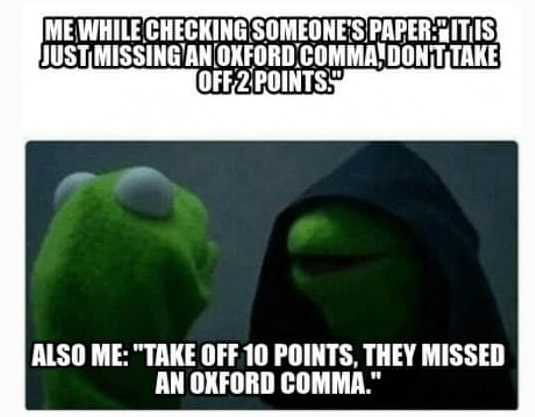
- Oxford comma yes/no
Example tone samples:
- “We aim for clear, friendly, and useful. Short sentences are welcome.”
- “Use active voice unless passive is needed for accuracy.”
- “Default to people-first language.”
Here is a simple table layout you can copy into your document to make it look organized and easier to read:
| Term or Area | Decision or Example |
|---|---|
| Spelling | US English, email, advisor |
| Numbers | One through nine as words, 10+ as numerals |
| Dates | October 27, 2025 |
| Percentages | Use % with numerals and no space, 5% |
| Headings | Headline case for H2, sentence case for H3 |
| Hyphens | decision making as a noun, decision-making as an adj |
| Citations | APA 7, DOI as https://doi.org/… |
| Figures and tables | Figure 1, Table 1, with short descriptive titles |
| Product names | Capitalize Program Alpha, features in sentence case |
| Tone | Warm, direct, short sentences, active voice |
Ten starter decisions every writer should log
- email or e-mail
- percent or %
- Oxford comma yes/no
- Replace “any dash with a simple comma” rule
- Serial hyphenation: decision making vs decision-making
- Headline case or sentence case for headings
- Numerals vs. words for 1 to 10
- Date format: October 27, 2025 vs. 20251027
- Citation style: APA 7 or Chicago 17
- Capitalization for product or program names
Keep it current with a simple change log
Track what changes and why. Keep it brief and useful.
- Record the date, the change, and the reason.
- Update after a full draft, after peer review, and before final proof.
- Bump the version number each time, for example v1, v1.1, v2.
This habit creates trust in teams. Everyone knows the rules and when they changed.
Work Smarter: Use Your Style Sheet with AI Tools and Your Editor
Your style sheet can do more than direct you. It can power smarter AI prompts and make editor checklists stronger. That means fewer false fixes, better suggestions, and faster proofreading. Professional editors should ask clients to provide a style sheet. If there is none, those pros should ask a number of questions and make a style sheet as part of the deliverable. the experience is kind of like a gentle grammar interrogation. With coffee.
If you ever feel unsure about what you want your editor to focus on, this blog helps you get clear before you send pages: Copyediting vs. Line Editing vs. Proofreading: A Clear Guide to Editing for Authors, Academics, and Professionals
Turn your style sheet into an AI prompt
Use a short formula:
- Purpose: What you are writing and the outcome you want.
- Audience: Who will read it.
- Tone targets: How you want it to sound.
- Style rules: 8 to 12 items from your style sheet.
Example prompt: “Edit this 1,200-word report for clarity and consistency. Audience: senior managers. Tone: warm, direct, professional. Apply these rules: US spelling, email not e-mail, APA 7 citations with DOIs, Oxford comma, headline case for H2s, sentence case for H3s, percent sign with numerals, October 27, 2025 date style, active voice preferred, avoid ‘leverage’ and ‘utilize’.”
Save a reusable prompt and update it with the latest version from your sheet.
Set up checklists that catch repeat issues
Build a final pass checklist from your style sheet.
- Numbers: Numerals, percentages, and date formats
- Punctuation: Commas, quotes, and hyphens
- Headings: Case and structure
- Citations: In‑text and references, plus DOIs
- Figures and tables: Labels and numbering
- Glossary terms: Preferred words and definitions
Use find, find and replace, and comments to apply the list. Work in single-issue passes, not all issues at once.
Collaborate with your editor or coauthor without friction
Share the style sheet before you start. Ask everyone to use short tags in comments, like STYLE for style questions and QUERY for content questions. When you settle a decision, log it on the sheet so it sticks.
If a big-book style guide conflicts with your company style sheet, note the conflict and record the final call. That way, you respect the house rules and keep your project tight.
🐾 The Finnegan Effect: What My Silver Tabby Kitten Taught Me About Consistency

Finnegan, my silver tabby kitten, runs on a simple schedule. Breakfast at seven, a ten-minute play sprint, then a quiet window perch. When we keep that routine, the day stays calm. He naps, I write, and nothing feels rushed.
A style sheet works the same way. Small, steady rules reduce tiny messes. Bit by bit, your style sheet will grow just like the kitten that used to fit inside the cat igloo with Winnie, our oldest cat.
One practical tip from Finnegan’s plan: set a five-minute style sheet check before you draft. Open the sheet, scan the rules, add any new names, and then write. The work flows, nothing feels rushed, and your future self will thank you.
FAQ
A style sheet is a set of rules for writing. It covers spelling, punctuation, capitalization, usage, tone, and formatting. Think of it as your playbook for clear, consistent prose. It is an in-house item for local decisions, as opposed to a major style guide, like APA or Chicago.
It removes guesswork. You decide once on serial commas, titles, tables, headings, and terms, then you follow that choice. The result is clean copy that’s easier to read and edit.
Style sheets help both. Teams avoid mixed styles, slow or inconsistent edits, and friction. Solo writers build speed and consistency, which saves time on every draft and revision.
Start with the basics: preferred dictionary, capitalization rules, punctuation choices, number rules, date formats, hyphenation, and common terms. Add tone notes, templates, and citation rules. Keep it short at first.
With rules in place, writers make fewer micro choices. That reduces cognitive load and frees time for structure, logic, and evidence. Editors understand rules that are essentially personal choices and do not spend time changing them (see Oxford comma).
Pick your primary (big book) guide. Choose a dictionary. Then write a one-page sheet with 10 rules. Use it on your next draft, then refine after feedback.
Conclusion
Pairing a big-book style guide with your own style sheet gives you clarity, speed, and trust. Start a one-page sheet today, log ten simple choices, use it in your next draft, and share it with your editor or team. What is one rule you will lock in this week? Small rules build confident writing, one calm page at a time.
Want to see a collection of issues that a style sheet should cover?
Download Silent Changes, the one‑page checklist I rely on in every project. It outlines the small, invisible mechanical fixes (typos, punctuation, consistency details, formatting adjustments) that strengthen clarity without touching your voice. So it’s a great reference for the kinds of issues you should include when building your own style sheet.
👉 Get your copy now in the Always-Free Library
Need an editor who protects your voice, and strengthens everything around it?
That’s the heart of my work. If you’re juggling drafts, drowning in inconsistencies, or unsure what your writing needs next, we can sort that out together.
I help authors and professionals bring clarity, structure, and credibility to their writing without rewriting who they are.
👉 Plan the edit together → Editing Services

Thanks for reading — here’s to clearer writing and stronger ideas.
~~ Susan