
AI-powered writing editors have come a long way by 2025, transforming the way authors, academics, and professionals handle their words. With smarter features and more user-friendly designs, these free tools are more accessible and effective than ever. Choosing the right AI editor can mean cleaner drafts, quicker revisions, and more confidence in every document you send out.
These top five free tools matter because they take the pressure off budgets without skimping on critical tools like grammar checks, style suggestions, clarity improvements, and tone adjustments. Whether you’re racing a deadline or improving your manuscript over coffee, the best options now offer help that actually feels helpful.
This post will cut through the clutter, breaking down the strengths of the top five free AI writing editors for 2025. You’ll find a straightforward guide to features, pros and cons, and who each tool fits best. Stay tuned for a lighthearted pause about a certain silver tabby kitten, Finnegan, who’s mastered the art of chaos (and cheer) in any workspace.
Watch a quick rundown of the top AI writing editors for 2025.
If you want a bigger-picture view on how AI is shaping all forms of content, check out this helpful resource on the best AI writing tools for 2025.
Why, As a Professional Editor, I Recommend AI Editing Tools
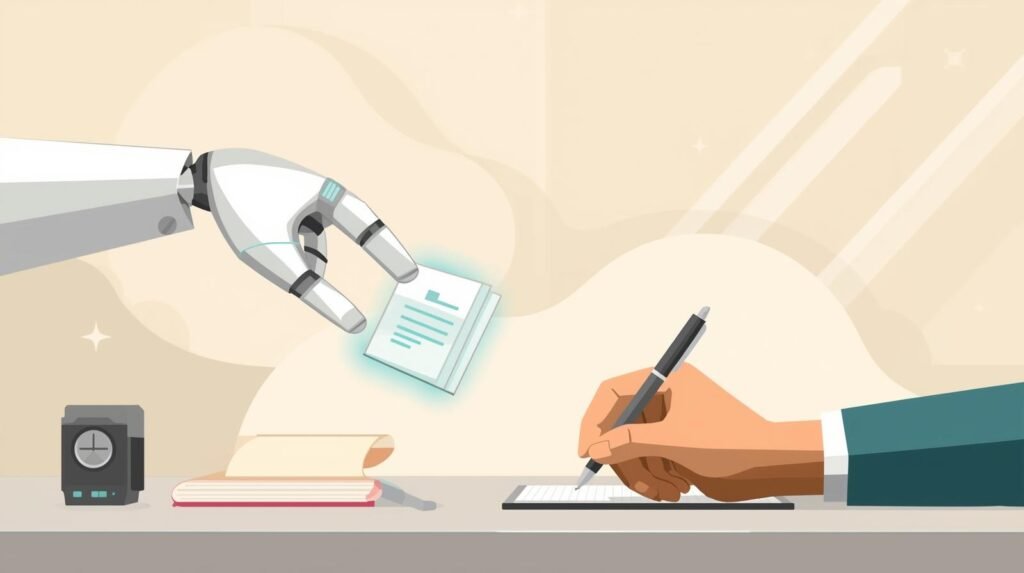
AI editing tools aren’t replacing editors. They’re replacing silence.
Writers have always relied on something to refine their drafts before handing them to a professional—manual checklists, style guides, peer feedback, even reading aloud. In 2025, AI-powered tools are simply the next evolution in that process.
I recommend these tools because they help writers catch obvious errors, tighten phrasing, and test out improvements early in the process. That makes our collaboration more efficient and more focused on the higher-level issues: structure, clarity, voice, and purpose.
As an editor, I don’t feel threatened by AI, I feel assisted by smart authors who use AI intelligently. My job is to bring judgment, experience, and critical thinking to work that matters. No algorithm understands audience expectations, nuance, or rhetorical strategy the way a trained human does. And no free app is going to coach you through complex revisions, tone mismatches, or authorial blind spots.
Recommending free AI tools is not a surrender. Choosing the right AI editor is not unethical. It’s a service to writers who want to show up with stronger drafts and get more value from the editorial process. I’m still here, still human, just working smarter alongside the tools, not in fear of them.
Top Free AI Editors for Authors
Finding a good free AI writing editor in 2025 is a bit like searching for the perfect office chair: comfort, functionality, and reliability all matter, but what works best depends on your routine. These editors are more than just digital red pens. They help you cut through bad habits, nudge your writing to clarity, and keep embarrassing typos at bay. Let’s break down what each tool brings to your work and where they shine or fall short.
Grammarly

Grammarly is the best-known AI helper for a reason. Its real-time feedback, tone detection, and plagiarism checking set a high bar for free writing support. Whether you’re drafting emails or working on a novel, Grammarly’s AI engine is always running quietly in the background, catching what your eyes might glaze over.
Core AI Features
- Real-time grammar and spelling checks for immediate error correction
- Tone detection to gauge if you sound formal, friendly, or accidentally abrupt
- Plagiarism checker highlights copied content within seconds
- Works inside browsers (Chrome, Edge, Firefox), Google Docs, and desktop apps
Pros and Cons
Grammarly’s free plan is generous for basic fixes but keeps some features locked behind a paywall. Choose this AI editor if you need:
- Pros:
- Unobtrusive browser integration makes checks fast and easy
- Tone suggestions help you avoid awkward misunderstandings
- Regular updates and strong privacy practices
- Cons:
- Plagiarism checker limited in the free version
- Most style suggestions, advanced rewrites, and citation features require a subscription
- Free tier keeps your data after deletion unless you close your account
Want a peek at what’s new? Check out Grammarly’s official AI overview.
Hemingway Editor

Hemingway Editor stands apart for its less-is-more approach. Instead of leaning hard on AI, it focuses on readability—helping you prune fluffy sentences and passive voice until your writing reads clean and clear. The editor highlights problem areas using bold color codes, making editing almost as simple as a traffic light.
Readability & Simplicity
- Readability scoring instantly rates your work for clarity
- Flags hard-to-read sentences, passive voice, and adverbs
- Simple web tool accessible from any browser, or as a low-cost desktop app
Pros and Cons
Choose this AI editor if you want:
- Pros:
- Intuitive interface with clear visual cues for fast self-checking
- Helps simplify complicated passages with color-coded feedback
- Works offline with the desktop version
- Cons:
- No plagiarism checker or built-in grammar check
- Free version is browser-only; desktop app requires a one-time fee
Learn more practical details at the official Hemingway Editor site.
ProWritingAid

ProWritingAid’s AI toolset is broad and deep. It looks at your writing from multiple angles: grammar, overused words, sticky sentences, and even structure. Reports and advice pop up in digestible snapshots, so you’re never lost in endless data.
Features & Analysis
- AI-driven style and grammar reports for different writing types
- Contextual thesaurus recommendations improve variation and flow
- Direct plug-ins for Word, Google Docs, web, and desktop
For details on each day’s new tricks, see ProWritingAid’s features breakdown.
Pros and Cons
Choose this AI editor for more, even if you never pay:
- Pros:
- Free tier covers style, grammar, and structure for up to 500 words at a time
- Deep-dive analysis with clear focus areas (repetition, readability, etc.)
- Compatible with many writing apps and platforms
- Cons:
- Interface may lag when handling large or heavily marked-up documents
- Some advanced insights and full-length checks are behind a paywall
QuillBot

QuillBot uses AI to paraphrase on command and summarize text in seconds. It’s a favorite for rewriting, researching, and tightening up text. QuillBot’s quick grammar checks and paraphraser modes make it a standout for those aiming to shift a paragraph’s tone or structure without retyping from scratch.
Smart Paraphrasing & Summarizing
- AI powered paraphraser with several tone and style options
- Summarizer turns long drafts into crisp abstracts
- Basic grammar and fluency checker included
Explore its range with the QuillBot writing toolkit.
Pros and Cons
Choose this AI editor for impressive free assistance, but be aware of daily caps:
- Pros:
- Excellent at producing natural-sounding rewrites
- Simple, intuitive interface that’s easy to pick up
- Supports many citation formats for academic writing
- Cons:
- Free plan limits daily word count (paraphraser and summarizer use)
- Plagiarism checker is locked behind the premium plan
LanguageTool

LanguageTool makes waves for its multilingual capabilities. It taps into AI to fix grammar and style, but with a unique focus on non-English text—a rare skill among free editors. LanguageTool backs up its AI with open-source foundations and regular peer-reviewed improvements.
Multilingual Proofreading & Open-Source Strength
- AI grammar and style correction in more than 30 languages
- Available as browser add-ons, desktop app, and Microsoft Word integration
- Community-driven upgrades thanks to open-source code
Looking for a full language list or how it handles different alphabets? See LanguageTool’s supported languages.
Pros and Cons
LanguageTool stands out for inclusivity but isn’t without constraints:
- Pros:
- Wide range of languages, including English, Spanish, French, and more
- Free version is generous for grammar and spelling fixes
- Cons:
- Offers fewer style suggestions compared to Grammarly or ProWritingAid
- Some advanced editing (like team features or personal style settings) require paid plan
Checklist: How to Choose the Right Free AI Editor
Still unsure which tool fits you best? Use this quick self-audit to clarify what matters most in your workflow:
- Do you need real-time collaboration or mostly write solo?
- Will you work primarily on desktop, browser, or mobile?
- Is grammar, spelling, or clarity your biggest concern?
- Do you need citation support for research or academic writing?
- Are your documents long, short, or a mix of both?
- Is privacy or offline editing a top priority?
- Will you need to export your work to Word or PDF?
- Do you rely on paraphrasing, summarizing, or other advanced features?
- Are you writing in English only, or do you need multilingual support?
- Do you prefer a clean, distraction-free space or a full-featured editor?
Start with the tool that fits your current habits—and try a second one to cover your gaps. Most writers use a mix. The right tools support your voice, your pace, and your process.
What AI Editors Get Wrong About Voice
Every AI tool has a voice. And the more you use them, the more they try to impose that voice on you.
Grammarly smooths things over. It prefers safe, slightly corporate prose. You’ll sound polished, but less personal. If you’re trying to write like yourself, Grammarly will gently steer you toward sounding like a friendly help article.
Hemingway Editor trims language down to the bone. It rewards short, clipped, minimalist writing—ideal for battle-hardened men and not far off from military briefings. That’s a valid style. But when I read Hemingway as a teenage girl, I didn’t find mystery in the unsaid. I found absence. Hemingway-style prose cuts away the texture that gives emotional writing its power. And Hemingway Editor pushes every writer—regardless of genre or intent—toward that voice.
ProWritingAid offers deeper stylistic analysis, but its voice leans academic: precise, repetitive, and rhythmically even. It can help structure a paper, but it will dull the edge of a sharp narrative or poetic voice unless you push back.
QuillBot rewrites quickly—but its paraphrases are often flat and generic. It’s trained to sound correct, not compelling. It can help reframe awkward sentences, but its instinct is to sand away distinctiveness.
LanguageTool is built around multilingual clarity and formal correctness. Its style is restrained and proper. Good for grammar. Bad for passion.
None of these tools know your story, your rhythm, or your reader. They know what’s common. They do not know what’s right for you. And they don’t know when a so-called “mistake” is a deliberate, powerful choice.
So don’t blindly accept all choices the AI offers. Maintain your authority as an author. Voice is not an error to fix. It’s a decision to protect.
A Quick Break for Writers: Finnegan the Silver Tabby, Now on the Loose
If you need a pause between edits, meet Finnegan. This silver tabby isn’t a kitten anymore—he’s pure muscle, fast as a bullet, and absolutely fearless. Anytime he’s awake, he sprints from window to window, leaps over any obstacle, and, if you’re not careful, you’ll find your feet knocked out from under you as he rockets around the house. You might hear him before you see him pouncing past your chair or stretching into his next high-speed lap around the living room. At this point, furniture is simply Finnegan’s personal parkour gym.
Every workspace could use a reminder like Finnegan: sometimes, the best way to shake up your draft is a sudden burst of energy (or a playful sprint under your standing desk). Let his unfiltered zest inspire you before you dive back into your next round of AI editing.
Finnegan: The Silver Tabby Metaphor
Every productive workspace has its own quirks. For some, it’s a favorite pen or a preferred playlist. For others, it’s a little fish-shaped cat toy, a favorite of Finnegan, the silver tabby kitten. Writers know the feeling: the need for a jolt of energy that resets focus and brings fresh perspective. Finnegan, with paws always in motion, becomes more than a pet. He’s a living metaphor for creative momentum.
Finnegan’s Unstoppable Energy

Finnegan is growing quickly and now regularly demonstrates his raw speed. Picture a streak of silver dashing across the living room, leaping over laptop cords and books, sometimes knocking over a mug if you aren’t quick enough. His body is all powerful muscle now, every movement confident, every turn sharp. If you’re standing in his path, he’s not stopping. You might end up doing an unplanned balancing act if his rocket-like momentum collides with your legs.
This lively spirit isn’t just chaos. It’s a lesson. When your writing hits a rut, sometimes you need that burst of energy, the kind Finnegan brings to every corner of the house. Instead of circling the same sentences, try a fast revision. Move with purpose, trust your instincts, and don’t be afraid of a little creative disorder.
How Finnegan Inspires Better Writing
Finnegan’s approach runs parallel with the best ways to use AI writing editors. Treat editing like Finnegan treats the living room: with confidence, intention, and a willingness to shake things up. Use AI tools to spot your habitual stumbles, but let your own messy, creative sprints break you out of patterns and fuel stronger drafts.
Whenever you feel stuck—in writing or in revision—think of Finnegan’s wild energy. Even a brief pause, or a playful change of pace, can clear out mental cobwebs and make the next round of editing sharper. For more tips on building sustainable, enjoyable writing routines, check out the best AI writing tools for authors and remind yourself that work doesn’t have to feel like a chore. Sometimes, it’s just a cat dashing across your keyboard that makes all the difference.
FAQ
No. AI tools rearrange, correct, and rephrase text, but they don’t generate original thought, lived experience, or deep insight. Writing is more than putting words in order—it’s deciding what matters, what persuades, and what resonates with readers. AI can assist, but it cannot originate meaning.
No. They can’t assess structure, argument flow, or the subtlety of your voice. Think of them as pre-editing tools. They help with surface-level fixes but don’t replace professional insight.
Free plans are genuinely useful. Most cover grammar, spelling, and basic clarity. The “hooks” for upgrades are advanced features, like long document support, plagiarism checks, or style coaching. If your needs are basic, free tiers can take you far.
Mostly, but check the fine print. Free tools often store anonymized text to improve their AI. If you’re working with confidential or sensitive material, don’t paste it into a web app. Use offline options or save private drafts for professional editing.
ProWritingAid (for structure and citations) and LanguageTool (for multilingual grammar) are strong free options. For serious academic work, pair them with a human editor who understands research conventions.
Grammarly is good for grammar, but it can over-smooth creative voice. Hemingway highlights sentence complexity, but beware of overuse. Creative writers often test two tools, then keep what supports their voice and ignore the rest.
Yes, and many writers do. One tool for grammar, another for readability, another for paraphrasing. Mixing helps cover gaps but don’t let every suggestion steer you. You’re the final authority on your text.
Conclusion
Choosing the right free AI writing editor in 2025 is a matter of fit. Grammarly remains the top all-around pick if you crave easy grammar and style checks with a simple plug-and-play feel. Hemingway is best for stripping down wordy drafts and making your writing direct. ProWritingAid suits detail-driven users who want true depth in their revisions. LanguageTool shines for those working across languages. QuillBot gives paraphrasing muscle when you need fast rewrites or summaries.
Test at least two AI editors from this list to see which one suits your writing style and workflow. Each tool brings different strengths, and hands-on use matters more than a features checklist. Ready to fine-tune your editing habits? Watch for more practical grammar, clarity, and productivity advice on this blog.
If Finnegan the silver tabby has taught us anything, it’s that a quick reset or burst of energy can help most writers power through. Whether you’re an author, academic, or professional, let your process be lively, never rigid. Try something new, stay curious, and remember a little AI help goes a long way. Thank you for reading, and don’t forget to share your favorite free editing tool in the comments.
Thanks for reading — here’s to clearer writing and stronger ideas.
~~ Susan