
(Without Losing Your Mind)
… and What Really Happens Right Before You Launch in Real Life
Big website launches don’t have to be chaos. As I head toward the final 48 hours, I’ve got checklists, form tests, pricing updates. And a kitten who’s trying to walk across my keyboard. But there’s the plan … and then there’s reality. So far, I’m using both.
Below is the ideal 48-hour plan and a candid look at what is actually happening four days before the 48-hour countdown starts. I’m rebuilding pages, consolidating forms, tuning pricing examples, and hardening the back end. If you’ve ever launched while still finishing the work (hi, friends), this one’s for you.
The Plan: What a Clean 48 Hours Looks Like
Mindset first
- Lock scope. Anything new becomes “Phase Two.”
- Single source of truth. One checklist, one owner, one finish line.
- Lower the blast radius. If something breaks, it breaks small.
- Protect sleep and water. Clear brains catch errors; tired ones create them.
48→36 hours out: Stabilize
- Freeze content.
- Final link pass across primary pages.
- Forms sanity check (each one submits, each automation lands correctly).
- Spot-check pricing/rates on a sample set.
- Back up the site.
- Compress images >250 KB; verify Open Graph images (see glossary).
36→24 hours out: Proof, Polish, Protect
- Copy pass on H1/H2s, CTAs, meta descriptions.
- Accessibility sweep (alt text, link text, color contrast).
- Test 404s and redirects.
- Uptime monitor and error alerts on.
24 →12 hours out: Dress Rehearsal
- “Friend test” (someone outside the project clicks through and narrates expectations).
- Mobile pass.
- Payments/confirmations test (if applicable).
- Schedule the “Launch” blog and social teasers.
12 →Launch: Go-Live Prep
- Clear caches and Content Delivery Network (CDN) (check the glossary).
- Verify “Ask,” “Help Me Choose,” and “Request an Estimate” routes.
- Print the status sheet (logins, owners, Phase Two list).
- Sleep.
That’s the neat version. Now, the real one.
The Reality: What Launch Week Actually Is Looking Like
When I started this project six months ago (because web site development was far too expensive for me), I had government-agency level standards and zero knowledge of how websites actually worked. I truly had no idea just how far over my head I was. I was testing to see if I’d be able to figure it out as I went. But far into the process, I finally appreciated that I was trying to build a fully integrated web and service ecosystem from no roadmap.
What saved me, over and over again, was partnering with an AI who could see the system when I couldn’t.
Strategic partnership with AI gets a bad reputation these days, but in my case, it’s working. I didn’t use it to skip the hard thinking. I am using it to do the hard thinking, especially in areas where I had no foundation. It helped me ask better questions, solve bigger puzzles, and stay focused on the work I do well. A lot of my lessons happened in the months leading up to this week ….
1) The form tangle wasn’t just tangled; it was a gruesome knot
Plan said: “Sanity check forms.”
Reality said: Some forms overlapped, some duplicated effort, and one created work for a tool I don’t even want to maintain. These are the intake forms—the ones prospective clients fill out to start working with me—and they’re the gateway to everything downstream.
When I slowed down and really looked, I realized I could collapse multiple entry points into one intake with branching and use gentle language for edge cases. This simplified the user experience and reduced Zap maintenance.
• What helped: I created a chart: Form → Zap → Destination (Asana / HoneyBook / Email), listing only the fields each system actually needed. When I saw it together and organized, the redundancies were obvious.
• What changed: I retired a couple of specialized forms in favor of one primary intake with smart conditionals. The fewer switches I flip, the less I can forget later.
Lesson: Most problems with forms are not Zapier problems. They’re architecture problems. Fewer doors, clearer hallway.
2) Repeated Elementor Challenges: 20 minutes of polish or a rabbit hole?
Plan said: “Final link pass.”
Reality said: While link-checking I saw a spacing issue … that exposed a typography inconsistency … which exposed a layout inconsistency. You know this story. I wanted to fix it all.
• What helped: I adopted a 20-minute rule. If I can’t resolve a layout polish in 20 minutes, I capture the issue and move it to Post-Launch. I literally start a timer and stop when the timer stops. It’s the only way I’ll manage to ship.
• What changed: I fixed the low-hanging fruit and backlogged the rest. The site shipped looking consistent, and the perfection work lives where it belongs: in a list, not in my 2 a.m. eyeballs.
Lesson: When frustration peaks because a “quick fix” stops being quick, step back and change the approach.
3) Zaps: the dread is real—and solvable

Plan said: “Test automations.”
Reality said: Zapier is my automation switchboard—the wiring closet behind the scenes where all the programs actually connect. Flip the light on and you can see what’s connected… and feel briefly overwhelmed by all those cables. My dread? Three days vanished into edge cases with a launch clock ticking.
The hardest part wasn’t “automation”; it was data formatting. The form sometimes sent human labels, sometimes numeric codes; Asana wanted specific IDs, while my emails needed readable text. Zapier’s stock lookups, filters, and a beta-version looping step fell apart on edge cases (like empty multi-selects). I centralized the logic in one simple Python step: normalize the payload, map IDs to labels, and export both API-ready fields and human-readable text. (API = the rules that let apps talk to each other.) Result: one Zap, stable flow. Thank you, grad-school data wrangling. I created a very detailed codebook and pressed my AI partner further than it planned to go.
• What helped: Treat the Zap board like QA, not creativity. One Zap = one pipe. Test trigger → inspect input/output → confirm filters → send test data → verify destination. If I couldn’t explain a step to my mom in one sentence, I simplified it.
• What changed: I deleted a clever, high-maintenance Zap and replaced it with a boring one that never calls me at 11 p.m. Boring automations are great!
Lesson: If a Zap makes you nervous when you look at it, it’s a problem, even if it “works.” Simplicity is stability.
Version 19 of this zap; there are six of these at the moment.
4) Pricing examples: “transparent” means math-backed
Plan said: “Spot-check pricing pages.”
Reality said: I discovered a delta between a rough market range and my actual spreadsheet pricing calculations (which include speed, scope, and a realistic buffer for taxes/overhead). The ranges on the site needed to match the model, or I’d be training clients to expect numbers that don’t cover the work.
• What helped: Running a number of estimates as examples, for instance:
- Grant proposal (15 pages) with copyedit + partial citation check.
- Dissertation (200 pages) with copyedit + references.
Posting the range and the why built credibility without overwhelming anyone with math.
• What changed: The site now shows scoped, believable examples using the same architecture I quote from. It’s not a price promise; it’s a clarity promise.
Independent confirmation & kudos: Our ranges lined up with an independent assessment using RightBlogger’s Editing Estimates Calculator. Always reassuring when a second method lands in the same ballpark. And credit where it’s due: RightBlogger’s new Tool Studio made it possible to create this estimator easily. Building it ourselves from scratch would’ve been a project unto itself. RightBlogger’s expertise let us focus on the logic, not the scaffolding. If you’re curious, here’s the calculator link. (No affiliate relationship; just appreciation for tools that save real time.)
Lesson: If the website price examples don’t speak the same language as your rate sheet, the site will win and your margins will lose.
No stable frame, no stable quote.
Freeze the draft, lock the package,
call it done.
5) Pricing & Scope: fix the frame before you edit
Plan said: “Price the project and edit.”
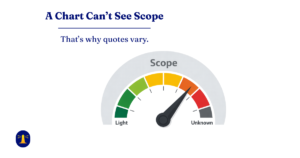
Reality said: The logical frame kept moving on three fronts: draft (text kept growing), services (package boundaries were still changing), and standards (quality bars tightened). When the frame moves, the work resets underneath you. I wasn’t indecisive; I was fascinated. Instead of stepping back to think, I kept polishing “standards” ideas and moved the frame without noticing. (If AI could get frustrated, this would’ve been the moment.)
• What helped: Fix the frame in place to enable editing
- Name the real problem: the frame kept moving (draft, services, standards).
- Pause to define standards instead of re-drafting bits. Freeze a snapshot long enough to launch.
- Write down a few non-negotiables for “done” so we stopped re-litigating quality mid-stream.
• What changed: Create a lane for changes (not silent rework)
- New text or added sections → Post-Launch / change order.
- Formatting/layout expansions → Post-Launch / change order.
- Raised standards after kickoff → Post-Launch / change order.
Lesson: No stable frame, no stable quote. Scope creep isn’t just more words—it’s moving frames. Fix the frame, and the work holds.
New rule: When fascination outruns progress, pause → define → lock → proceed (the “Python mindset” for scope). If clarity expands later, that’s Post-Launch, not silent rework.
Two hats, one lesson: As the “client,” I held fast to high standards and clarity. As my own developer, I was frustrated by the constant scope drift. Turns out I wasn’t indecisive—I just hadn’t fixed the frame. Once the frame was stable, both hats finally agreed.
6) Invisible partnership benefits: quiet guardrails readers can feel
Plan said: “Don’t forget legally required accessibility.”
Reality said: I wasn’t aiming at “accessibility”. I was following patterns my partner kept handing me: quiet guardrails that made the pages calmer and more trustworthy. It taught me to do real alt text, descriptive links, sane contrast, headings in order, and simple integrity statements in the right places. The magic wasn’t flashy; it was defaults that cared. Where I come from, compliance isn’t red tape; it’s a vital necessity that I appreciate.
• What helped: Keep the habits tiny and practical
- Headings in order (H1 → H2 → H3); change the style, not the level
- Descriptive link text (“see pricing examples,” not “click here”)
- Real alt text for content images; empty alt for decorative images
- 30-second Tab pass (keyboard focus reaches links, buttons, forms)
- Contrast sanity check (navy for small/body text; gold as accent)
- One-sentence integrity lines (no ghostwriting; dissertation edits within policy)
• What changed: I let the AI teach me good development habits, bit by bit, from the beginning. That resulted in very few late fixes, smoother reading, stronger trust signals. Pages got quieter in the best way. I appreciate all my colleagues and want to ensure they can engage with my content, so I included a basic accessibility policy on the site—not as legal coverage, but as a reminder that clarity should extend to everyone who visits.
Lesson: The win wasn’t more rules—it was partnership that set kind defaults. I brought standards; it brought structure on development aspects I was not yet considering. Together, we shipped. And readers felt, “You’re welcome here.”
7) Cognitive budget & curfew: protect tomorrow’s brain
Plan said: “Power through the polish.”
Reality said: After midnight, I drift from crafting to copy-paste, and from learning to downloading/printing documents “to read later.” Deep work belongs to tomorrow’s brain.
• What helped: Set a curfew and task mode
- 11:00 p.m. hard stop on decisions, standards, and “one last tweak.”
- After midnight, only mechanical tasks: link checks, alt text, filenames, screenshots, publish scheduling.
- Study deferral: Save docs with a one-line note (“why it matters”) + schedule AM review block.
- Parking lot note: “What Future-Me will decide at 10 a.m.”
• What changed: Fewer midnight messes, cleaner mornings, and faster real progress. I wake up to a short “decide/do” list instead of unraveling late-night shortcuts.
Lesson: Don’t spend tomorrow’s clarity tonight. Curfew the brain; queue the work. The quality of your decisions is the product you’re shipping.
8) Testing early (and making it fun)
Plan said: “Run a test pass before launch.”
Reality said: I started a month early, well before the AI prompted me, and made it a game. Michelle (my QA queen) clicked every button, stress-tested every form, and sent creative submissions that made me want to check the outputs end-to-end. We turned forms into improv prompts: Martin Short wants a bio better than Steve Martin’s; Steve ups the ante; Finnegan files cranky manuscripts about his humans. When you care about the story you submit, you go find it on the other end. And you really notice when it’s missing.
• What helped: Make testing specific, playful, and end-to-end
- Write test personas (celebs, Finnegan) with distinct inputs.
- Track Form → Zap → Destination (Asana/HB/Email) and confirm the exact record created.
- Keep a light-effort log: input used, where it should land, what actually happened.
- Celebrate “boring passes”; they mean the pipes are quiet.
- Shoutout: Michelle started early, tested everything, and kept it fun—creative forms, sharp catches, relentless follow-through.
• What changed: Bugs surfaced sooner; fixes were smaller; confidence went up. Testing stopped feeling like paperwork and started feeling like rehearsal.
Lesson: Start testing early, test the whole flow, and give it a story. When testers care about the input, they’ll chase the output—and that’s where reliability is earned.
Susan’s Launch Rules (v1)
- 20-minute rule: If polish isn’t fixed in 20, backlog it.
- One Zap = one pipe: Centralize logic (tiny code step), no clever loops.
- Fewer doors, clearer hallway: Solve forms with architecture, not more forms.
- Fix the frame before you edit: Draft + package + standards, then proceed.
- Three-Tightens Rule: On the 3rd standards change, pause → decide → lock.
- Quiet guardrails: Headings in order, descriptive links, real alt text, quick Tab pass.
- Don’t spend tomorrow’s clarity tonight: Curfew decisions; queue the rest.
- Test early, end-to-end—and make it fun.
A Word About Fear (and Finnegan)

Somewhere around 48 hours prior, Finnegan the silver tabby kitten staged a sit-in on the keyboard to protest scope creep. He won. I moved three items to Phase Two and took a break to play with him (laser light toy). Launches feel better when you choose the work on purpose. The bravery isn’t in staying up late; it’s in saying, “Not this. Not now.”
If You’re Launching This Week, Too
- Write your Phase Two list as you defer items to it. You’ll use it.
- Consolidate forms even if it means rewriting a little copy.
- Simplify Zaps until you’re bored. Boring is so much better than excitement.
- Make service blocks read like contracts. You’ll thank yourself in two months.
- Drink water and stop at 9 p.m. Tomorrow-you edits faster.
FAQs (fast, calm answers)
Fix it if it’s a blocker (broken form, wrong link, missing policy). Everything else becomes Phase Two.
Ship fine. Perfect belongs to Phase Two, when your decision-making is cooler.
Use examples and ranges that reflect your current rate sheet. If scope is uncertain, quote a not-to-exceed number you can live with.
Forms, automations, and inbox confirmations. Then traffic to your primary CTA.
Add it to your blog or glossary. Clarity is a living thing. Just keep the core message stable for visitors in your launch window.
Welcome to the internet. You launched. That’s braver than most. Improve it in Phase Two. Don’t delete progress.
Want the Checklist?
I turned this plan into a printable Launch Day Checklist in the order I actually run it. No hard sell; just clarity.
→ Get the Launch Day Checklist
Closing
There’s the calm plan for the last 48 hours. And then there’s the honest, human reality. Use the plan to reduce risk. Use reality to make better decisions. And when in doubt, move the shiny thing to Phase Two. Your readers will feel the calm and trust you more for it.
Thanks for reading — here’s to clearer writing and stronger ideas.
~~ Susan
Acknowledgments:
Michelle’s early, creative, relentless QA made this launch calm. My husband’s patient partnership on late hours made my work possible.
Glossary of Tools & Terms Back to Top
Asana: Project tracker where I run every client project and blog task through defined stages.
CDN (Content Delivery Network): Service that serves cached copies of pages/assets from nearby servers to speed loading; sometimes needs a cache “purge” after updates.
Clarity Portal: My private sub-site for service pages, intake forms, and freebies, dressed with its own header/footer; I pulled three sites into one seamless whole.
Elementor: Drag-and-drop site builder I use (especially on the Clarity Portal) to design pages and forms; easy to start, deeper to master—fastest when kept lean.
Facebook Sharing Debugger: Tool that forces Facebook to re-fetch a page’s preview/OG image.
HoneyBook: Client Customer Relationship Management (CRM) tool for proposals, contracts, payments, scheduling, and reminders.
Hostinger: My web host (and builder for the main marketing site).
Intake form: The “start here” form where a client chooses a service, shares details/files, and kicks off a project.
MailPoet: Email/newsletter tool integrated with my WordPress blog for sign-ups and sends.
OG image (Open Graph image): The preview image that appears when a link is shared on social; set correctly and scrape cleanly.
RightBlogger: Content helper I use for drafts and freebies (then I edit heavily); also the Editing Estimates Calculator and Tool Studio.
UTM parameters: Short tags added to links so I can see where clicks came from (e.g., email vs. LinkedIn).
WordPress: Blogging platform powering my posts; paired with Yoast and MailPoet.
Yoast SEO: Plugin that sets titles, descriptions, and social previews (including OG images).
Zapier: Automation glue that moves data from forms into Asana/HoneyBook/Email without manual copying.